Platform
A live compliance profile, not a static PDF
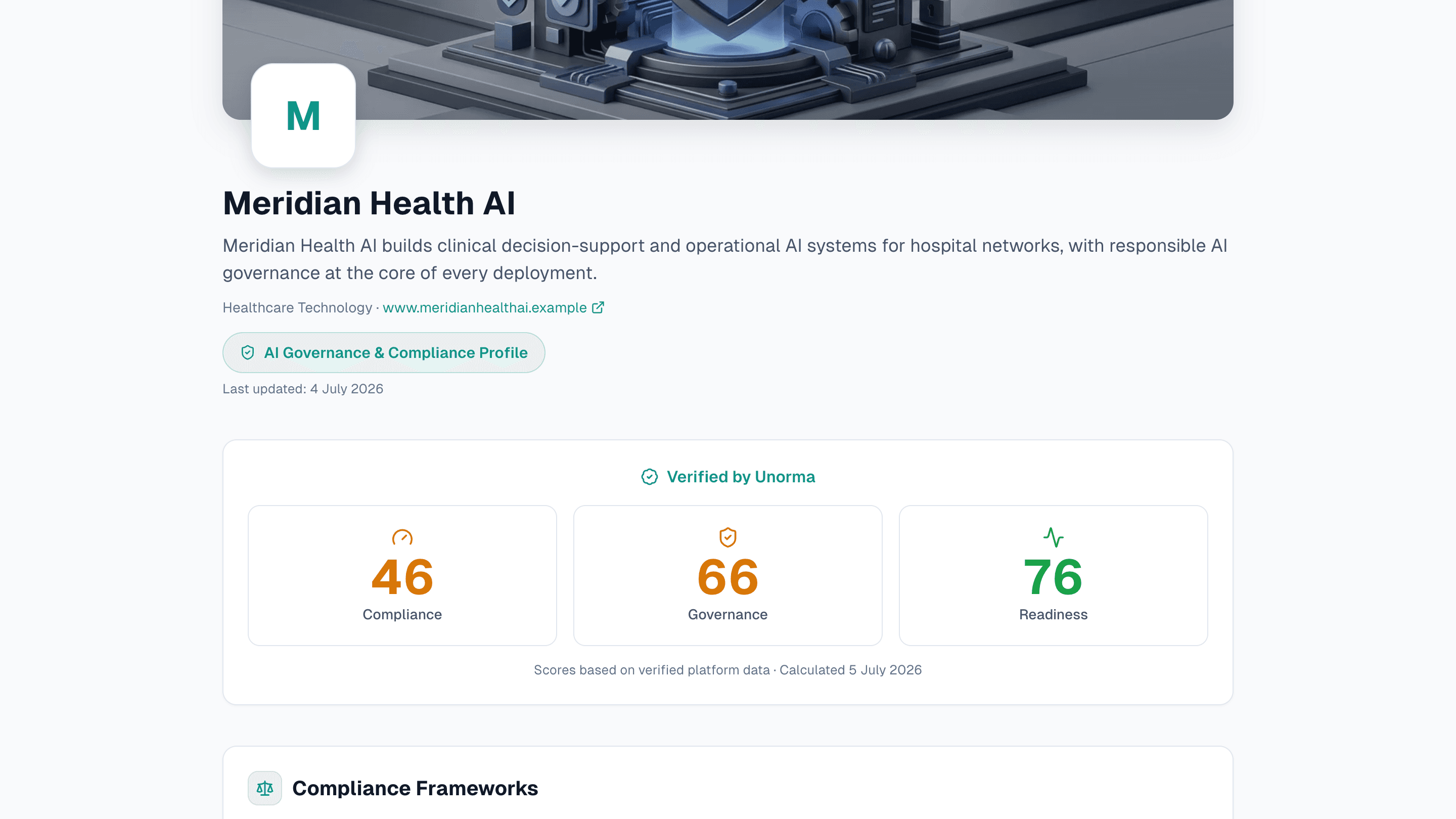
Share your AI governance posture with procurement teams, partners and regulators via one link. Verified scores calculated from real platform data, with full control over what's public.
- 3
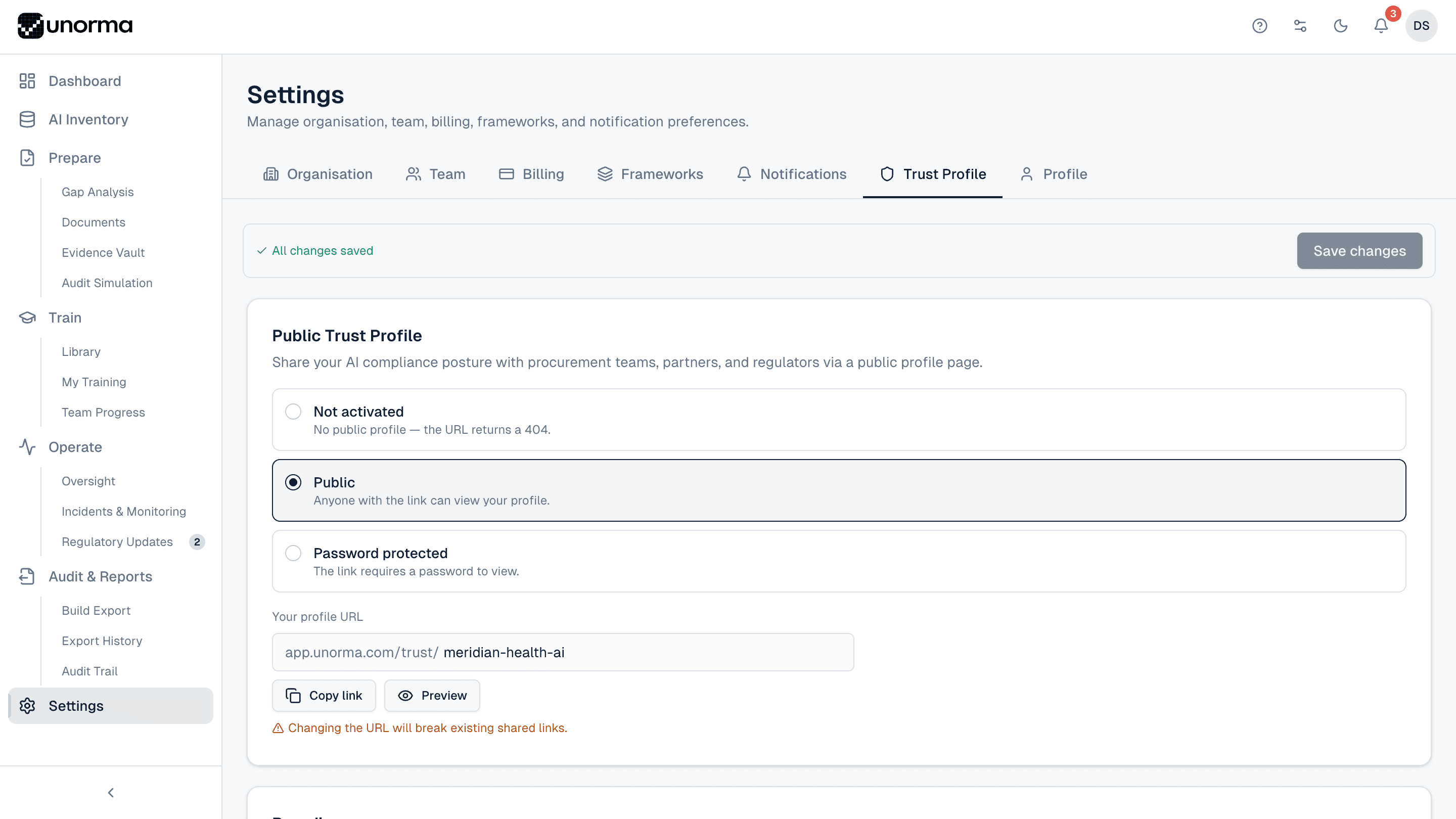
- Profile modes — Not activated, Public, Password protected
- 3
- Verified scores — Compliance, Governance, Readiness
- 9
- Toggleable sections, each previewed before you publish
- 1
- Link to share with procurement, partners or regulators
Activation
Three ways to share it.
Not activated
No public profile exists — the URL simply 404s until you're ready to share it.
Public
Anyone with the link can view it — the default for sharing with procurement teams and partners.
Password protected
The link requires a password to view, for a more controlled rollout.
A URL you choose
app.unorma.com/trust/your-company — copy the link or preview it, right from Settings.
Privacy controls
You control exactly what’s public.
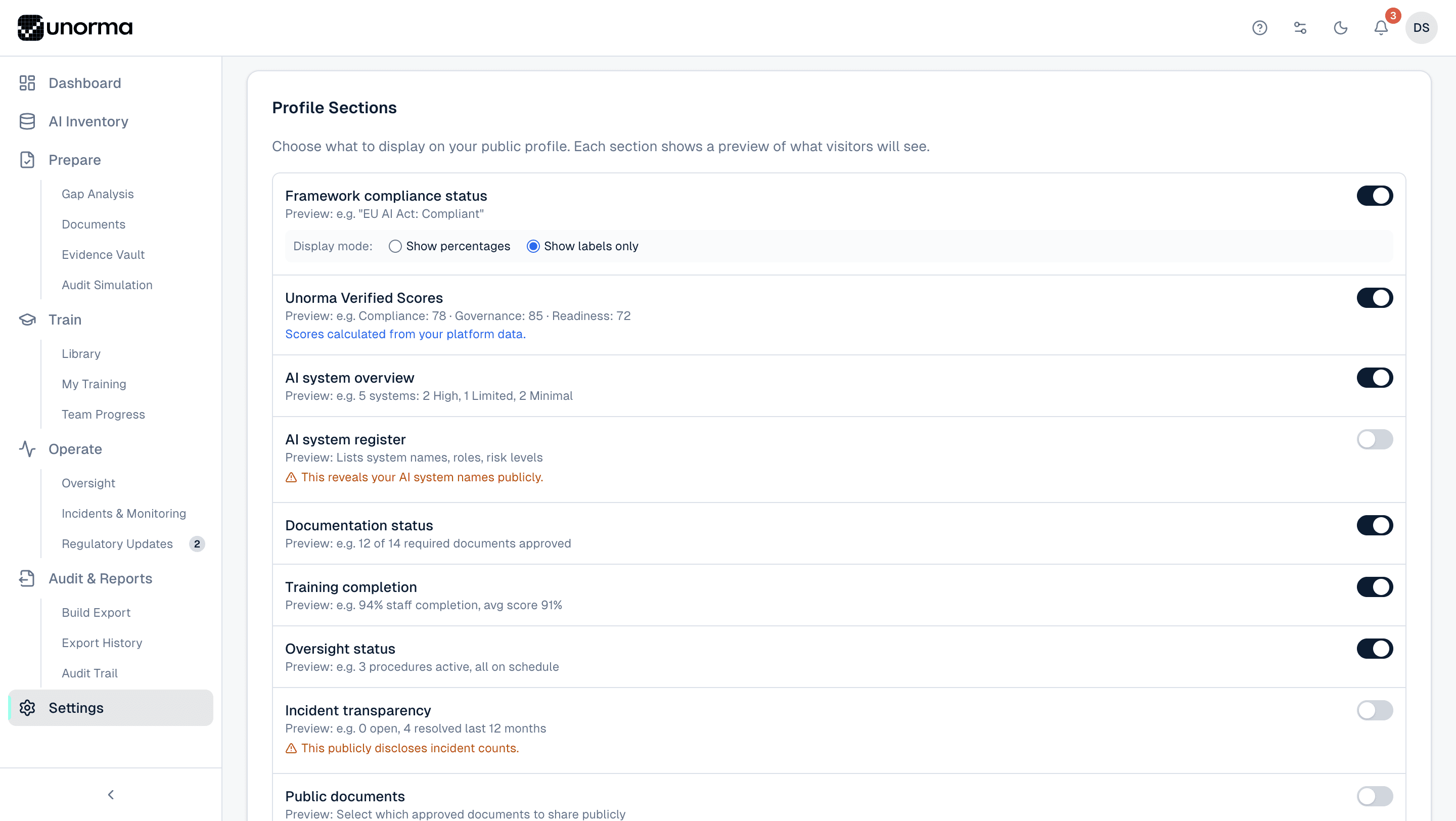
Framework compliance status
Show percentages, or just pass/fail labels — you choose the level of detail visitors see.
Unorma Verified Scores
Compliance, Governance and Readiness, calculated from real platform data, not self-reported.
AI system overview
A count and risk breakdown, without necessarily naming individual systems.
AI system register — off by default
Naming your actual AI systems publicly is opt-in, with a clear warning before you turn it on.
Incident transparency — off by default
Disclosing incident counts is opt-in too, with the same explicit warning.
Documents, training & oversight
Show documentation completion, staff training rates and oversight status, each with its own toggle.
Branding
Make it look like yours.
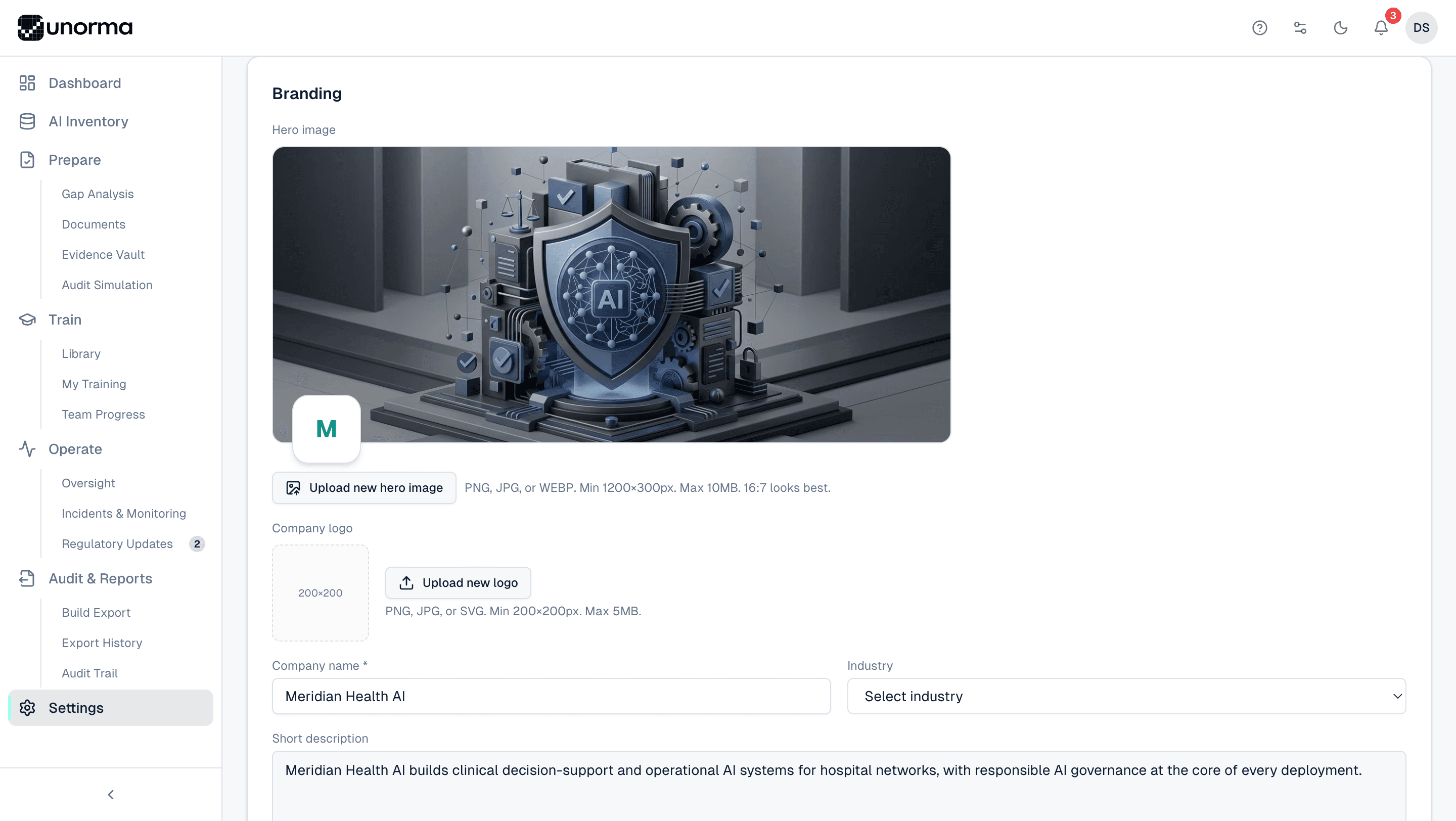
Your hero image
Upload a custom banner so the profile doesn't look like a generic template.
Your logo
A square company logo, or a generated initial avatar until you upload one.
Company details
Name, industry and a short description — the first thing a visitor reads.
It ends up looking like yours
Once branded, the profile reads as your company's page, not Unorma's.
Where it fits
Proof pulled from everywhere else.
Gap Analysis
Verified scores are calculated straight from your live gap analysis readiness — never a separate, self-reported number.
ExploreAI Documents
Public documents you choose to share come directly from your approved document library.
ExploreAudit & Reports
The same verified data powering your trust profile also feeds your export packages.
Explore
FAQ
Common questions.
Who can see my trust profile?
Depends on the mode you choose: nobody if Not activated, anyone with the link if Public, or anyone with the link and the password if Password protected.
Are the scores self-reported?
No — Compliance, Governance and Readiness scores are calculated directly from your real platform data, not entered manually.
Can I hide which AI systems I have?
Yes. The AI system register section, which lists actual system names, is off by default and clearly flagged before you turn it on.
Will sharing incident counts hurt us?
That's your call — incident transparency is off by default too. Many companies find a low, resolved incident count builds more trust than hiding the section entirely.
Can I change my profile URL later?
Yes, but changing it will break any links you've already shared — a warning appears before you confirm.
Publish your first trust profile today.
14-day free trial · No credit card · Full access to every feature.