Platform
Every AI system, classified and accounted for
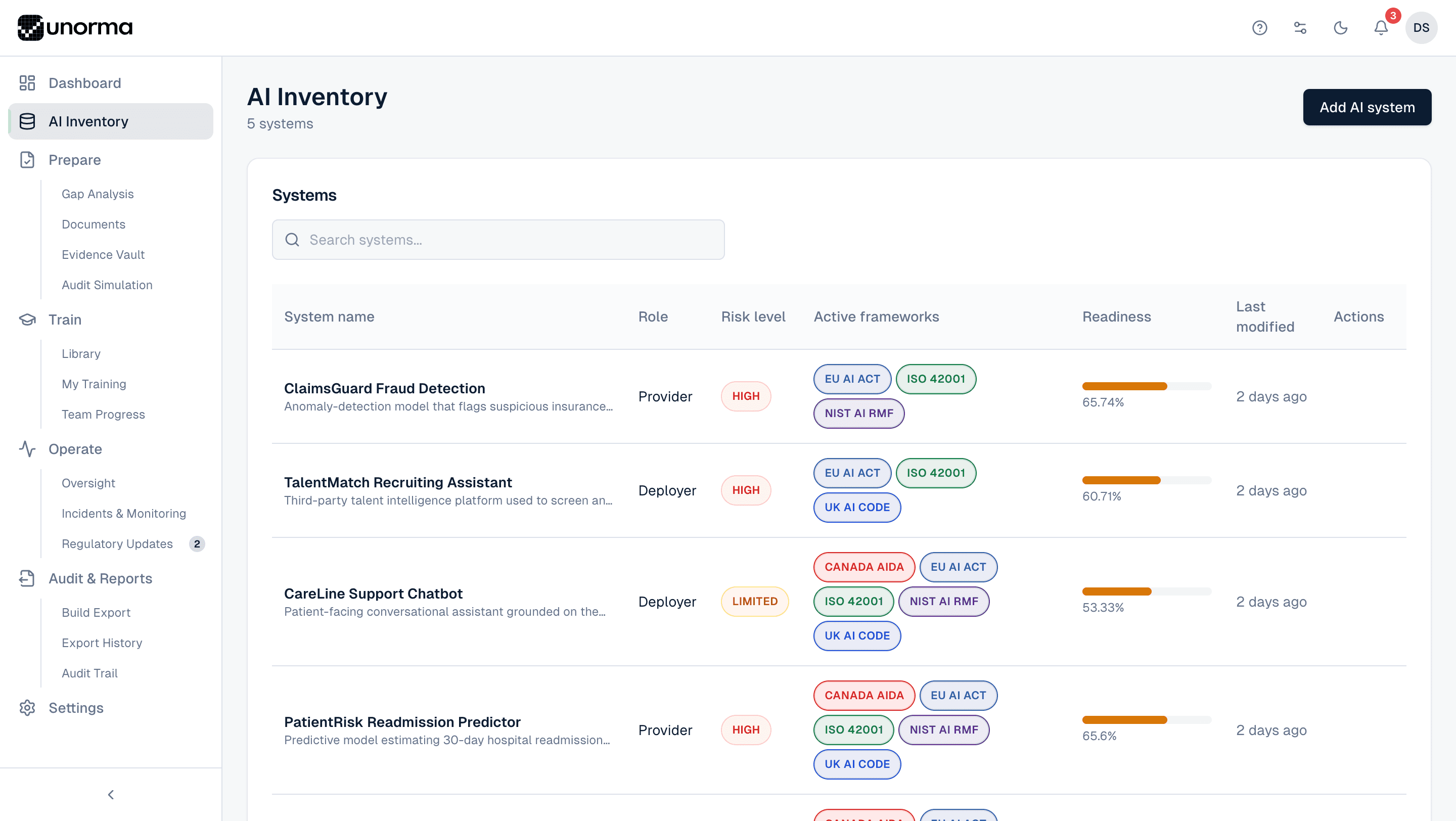
Register every AI system your company builds or uses. Unorma auto-classifies risk, determines your role, and generates the exact obligations that apply — so nobody has to guess what regulations apply to what.
- 5
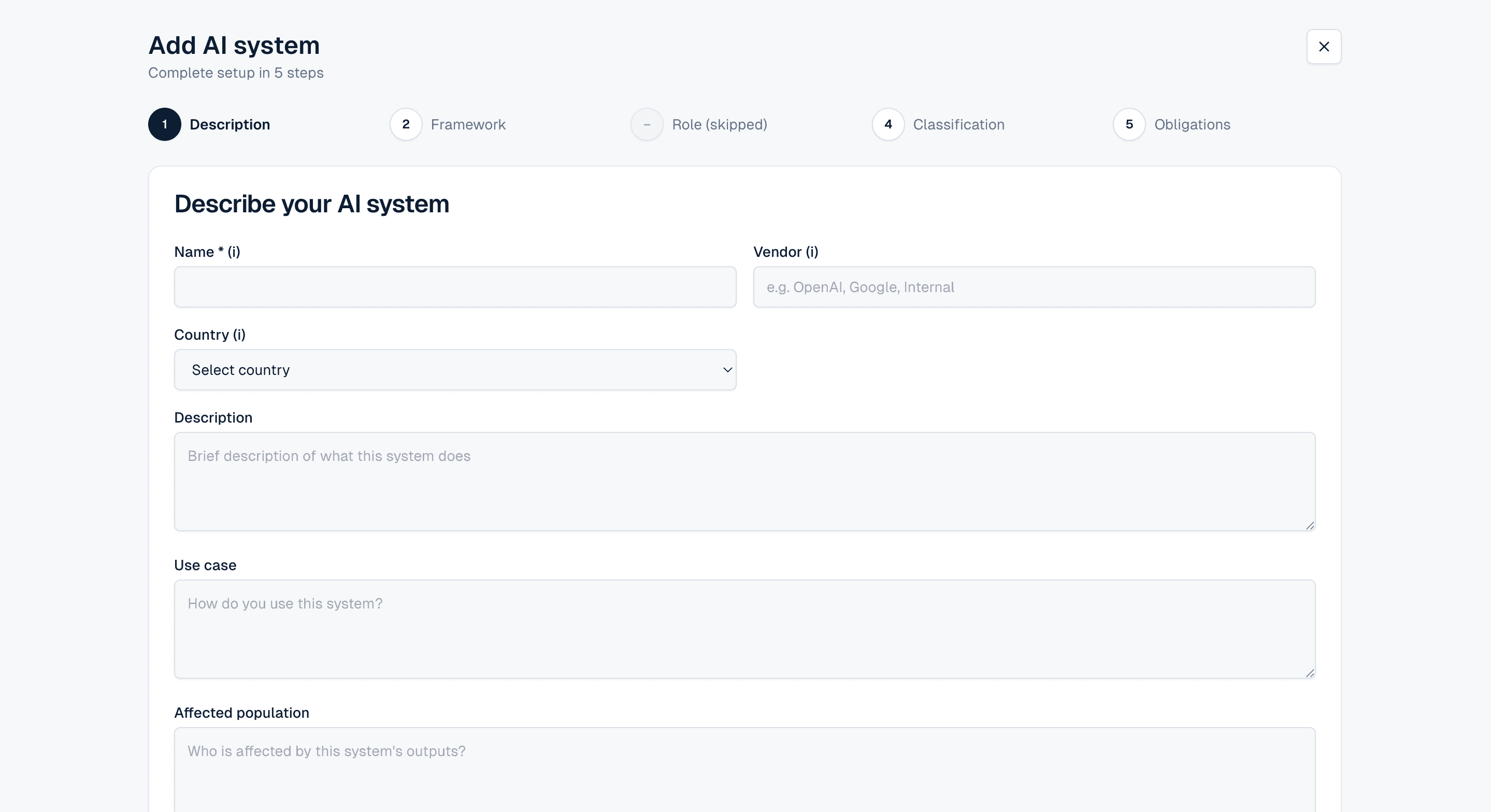
- Step wizard from name to obligations
- 3
- Classification systems run automatically
- 2
- Roles determined — Provider or Deployer
- 0
- Obligations you have to figure out yourself
How it works
A 5-step wizard, not a blank form.
Description
Name the system, add the vendor and country, describe what it does, its use case, and who it affects. This is the record everything else attaches to.
Framework
Choose which of your active frameworks this system should be assessed against — EU AI Act, NIST AI RMF, ISO 42001 and more, or any custom framework you've built.
Role
Provider (you built it) or Deployer (you use someone else's AI). Unorma can often infer this from the description — the step is skippable when it's already clear.
Classification
Each selected framework runs its own risk assessment: High, Limited or Minimal risk under the EU AI Act; a maturity level under NIST; an applicability check under ISO 42001.
Obligations
Review the exact list of obligations generated for this system's role and classification — filtered so a Deployer never sees Provider-only requirements.
The register
What every system tracks.
System name & description
A short name and one-line description of what the system does — searchable across your entire inventory.
Role
Provider or Deployer, shown per system since one company can be both depending on the AI in question.
Risk level
Colour-coded classification — High, Limited or Minimal — so the systems that need attention are never buried in the list.
Active frameworks
Every framework this system is being tracked against, shown as badges — a system can carry EU AI Act, ISO 42001 and NIST obligations at once.
Readiness
A live percentage rolled up from gap analysis — the same number that feeds the dashboard and the trust profile.
Last modified
When the record last changed, so stale entries — the ones nobody has looked at in months — are easy to spot.
Where it fits
The inventory feeds everything else.
Gap Analysis
Every registered system's obligations flow straight into gap analysis — nothing is re-entered.
ExploreAI Documents
Classification data pre-fills document templates, so generated drafts already match the system's real risk profile.
ExploreAudit Simulation
Auditors start with your inventory. A current, accurate register is what makes audit simulation results trustworthy.
Explore
FAQ
Common questions.
Do I need to know which frameworks apply before I start?
No. Onboarding recommends frameworks based on your country and industry, and you can activate or change frameworks for any system at any time — the inventory updates its classification automatically.
What if a system doesn't clearly fit Provider or Deployer?
The wizard gives in-context guidance for the distinction, and the Role step can be skipped and revisited later if you're not sure yet — classification and obligations will simply wait until it's set.
Does adding a system automatically start gap analysis?
Yes. As soon as a system is classified, its obligations appear in Gap Analysis with a readiness score — there's no separate setup step.
How many AI systems can I register?
5 on Starter, 25 on Scale, and unlimited on Enterprise and Agency. See the full comparison on the pricing page.
Register your first AI system today.
14-day free trial · No credit card · Full access to every feature.