Platform
From blank page to audit-ready, in seconds
Generate professional compliance documents pre-filled with your system data — Model Cards, AI Policies, Risk Records and more. Edit in a rich text editor, route through review, and export a polished PDF when it's approved.
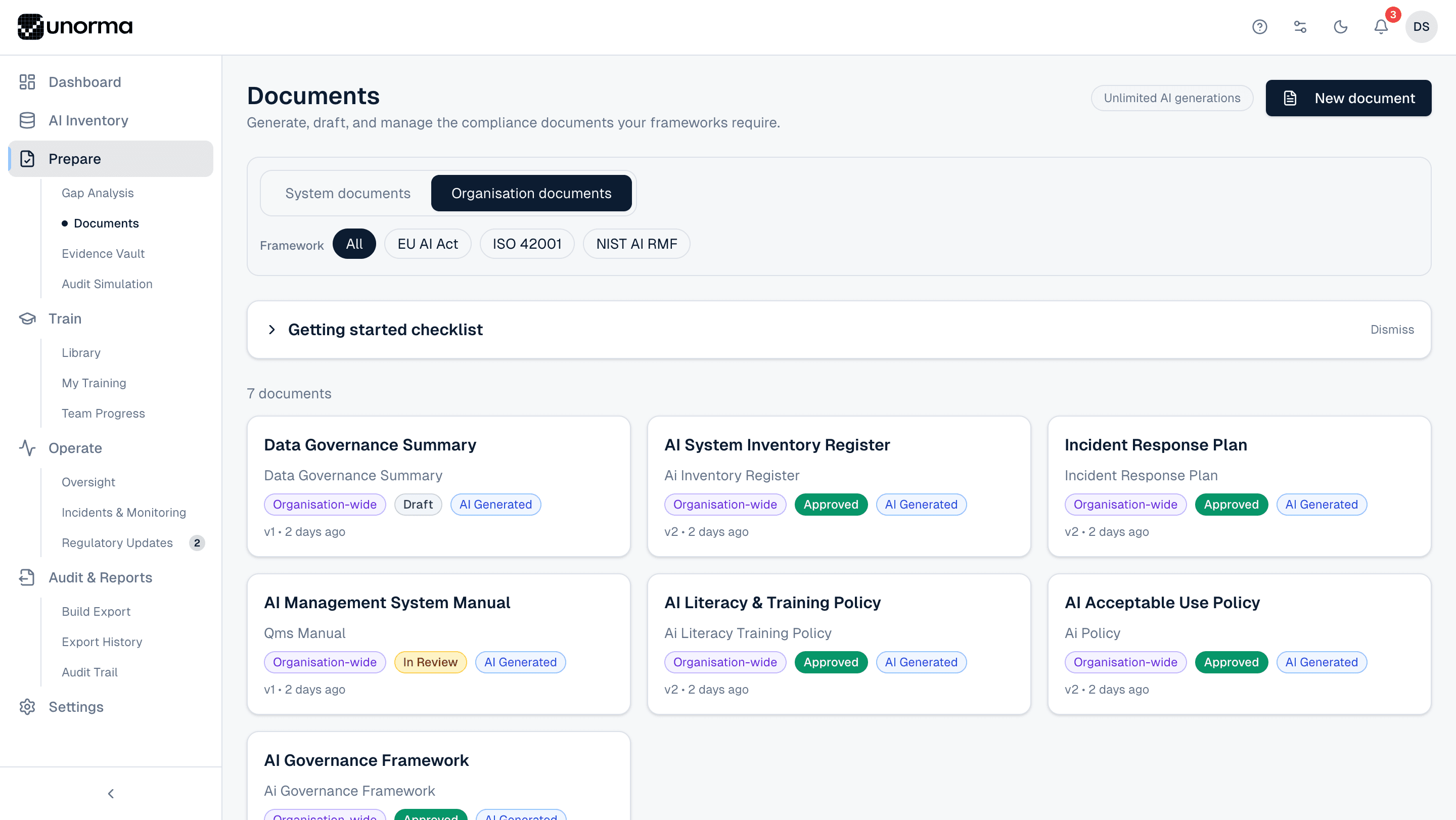
- 2
- Document scopes — System-specific and Organisation-wide
- 6
- Templates per framework, pre-filled and ready to edit
- 3
- Stages — Draft, Submitted for review, Approved
- 1
- Click to export a professional, audit-ready PDF
Choosing a template
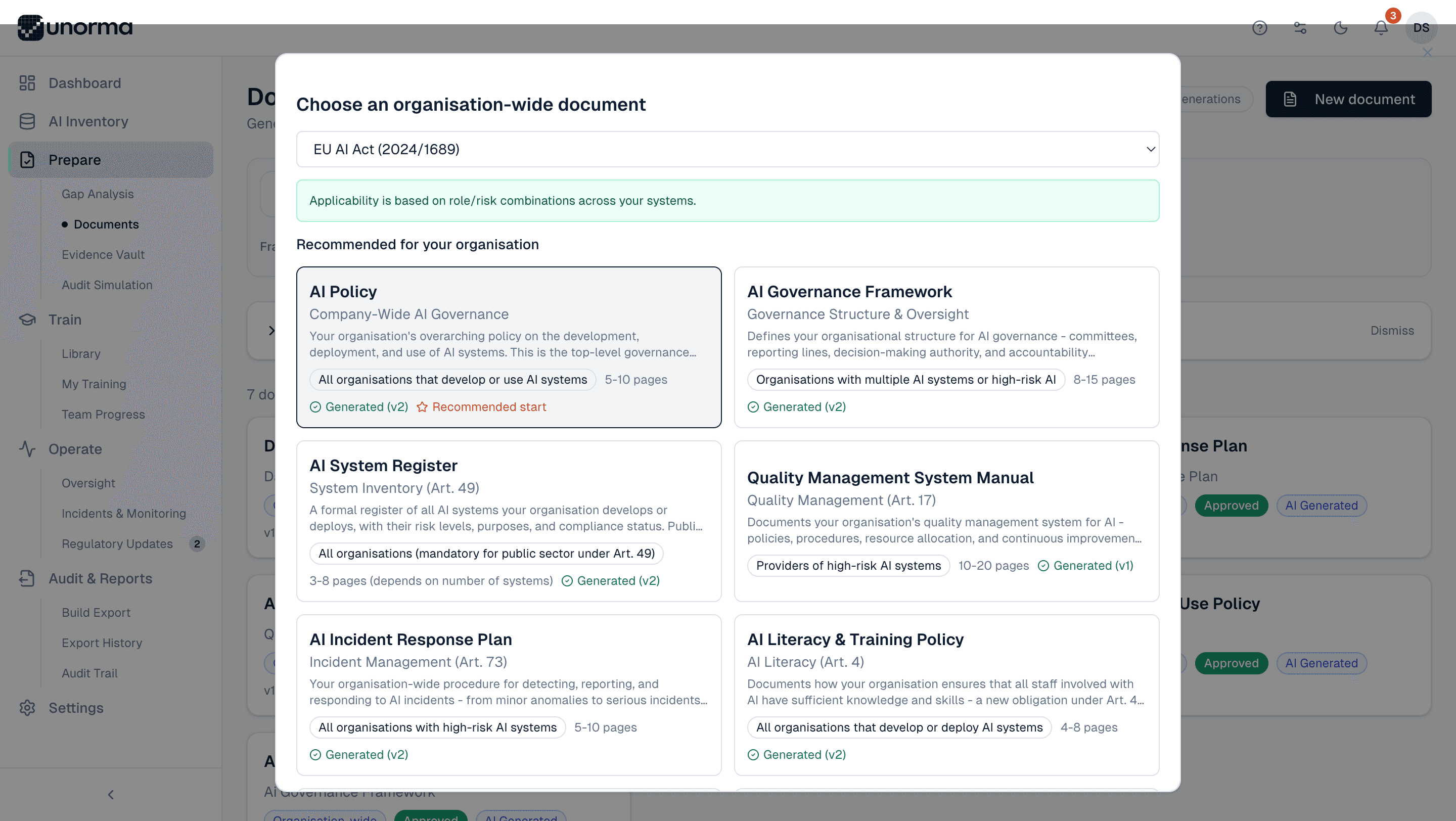
Recommended templates, not a blank menu.
Recommended start, flagged automatically
AI Policy is marked as the natural first document for any organisation — no guessing where to begin.
Applicability shown up front
Each template states exactly who it's for — "Providers of high-risk AI systems" or "All organisations that develop or use AI systems."
Article references built in
Templates map directly to the obligation that requires them — AI System Register to Article 49, Incident Response Plan to Article 73.
Page estimates upfront
Know whether you're about to generate a 4-page policy or a 20-page manual before you start.
Filling it in
No blank page, ever.
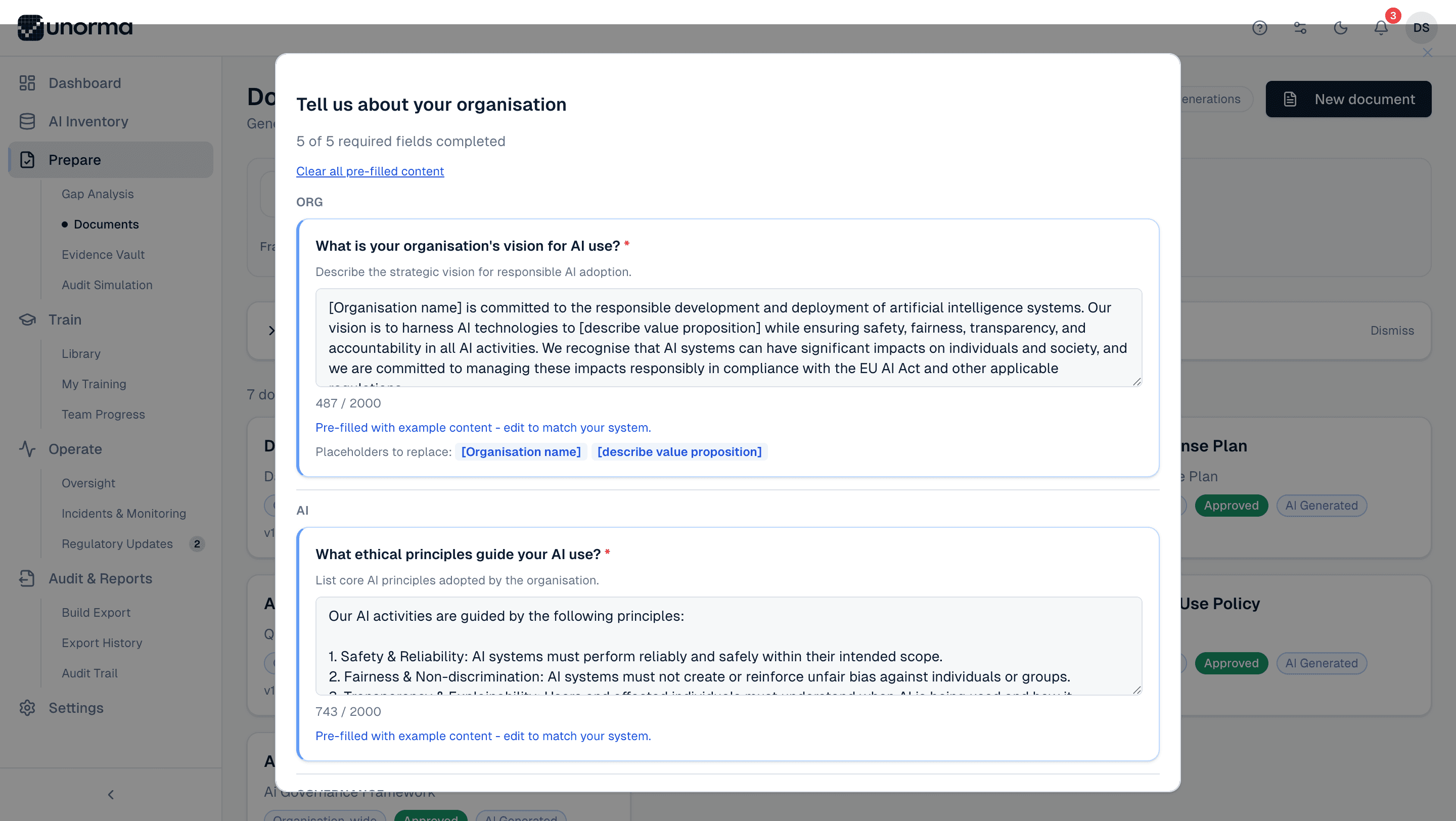
Pre-filled with realistic content
Every field arrives with example text grounded in international standards and best practice — a complete vision statement, a full list of AI ethics principles — ready to edit, not write from scratch.
Character counts, so you know the scope
Each field shows a live count against its limit, so drafting stays focused instead of sprawling.
Placeholders flagged clearly
Tokens like [Organisation name] are called out explicitly, so nothing generic slips into a final document by accident.
Start from scratch if you want
"Clear all pre-filled content" removes every example in one click, for teams who'd rather write from zero.
Editing & exporting
From draft to audit-ready PDF.
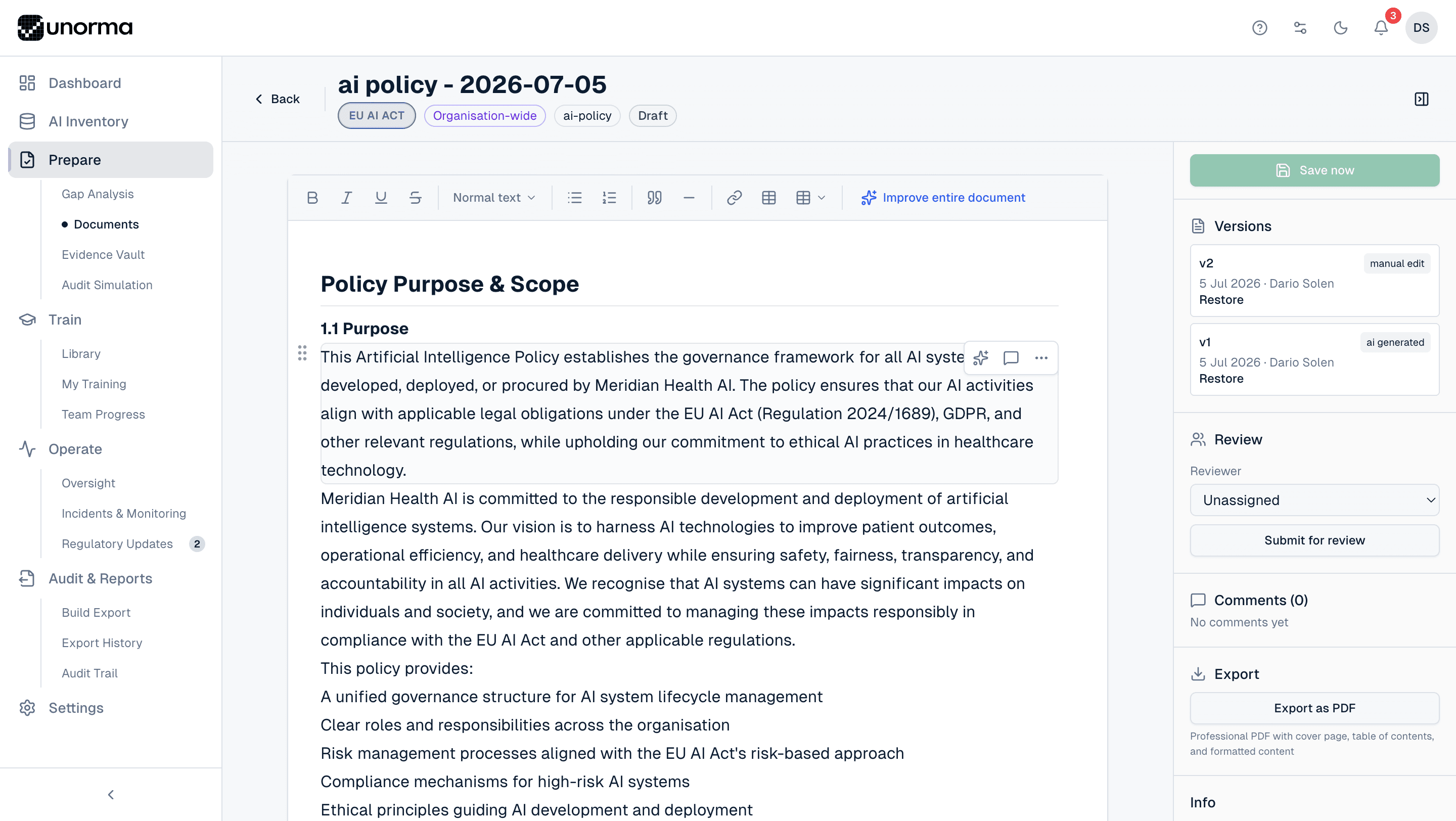
Rich text editing
A full editor — bold, headings, lists, tables, quotes — familiar from any modern word processor.
AI touch-ups on demand
"Improve entire document" rewrites and tightens the draft in place, without starting over.
Version history you can restore
Every save creates a version, tagged AI generated or manual edit, with one-click restore back to any prior version.
Review, then export
Assign a reviewer, submit for review, and once approved, export a professional PDF with a cover page, table of contents and formatted content.
Where it fits
Documents don’t live in isolation.
Gap Analysis
Generate a document straight from a Requires Review obligation — no need to leave the page.
ExploreEvidence Vault
Approved documents can be cited as evidence for the exact obligations they satisfy.
ExploreAudit Simulation
A complete, versioned document set is what makes an audit simulation's findings trustworthy.
Explore
FAQ
Common questions.
Do I have to write documents from scratch?
No — every template is pre-filled with realistic example content grounded in international standards. Most teams edit rather than write.
What's the difference between System and Organisation documents?
System documents are specific to one AI system, like a Model Card for a particular fraud-detection model. Organisation documents apply company-wide, like your AI Policy or Governance Framework.
Can someone else review a document before it's finalised?
Yes — assign a reviewer and submit the document for review; once approved, it moves out of Draft status.
What does the exported PDF look like?
A professional PDF with a cover page, table of contents, and fully formatted content — ready to hand to an auditor or the board.
Are there free-form documents, or only framework templates?
Both. Beyond framework templates, you can create free-form documents for governance plans, board reports, or meeting notes.
Generate your first document today.
14-day free trial · No credit card · Full access to every feature.